
Based on feedback from agents and underwriters, we recently released updates to the SFM Agency Manager (SAM) Policies page and application.
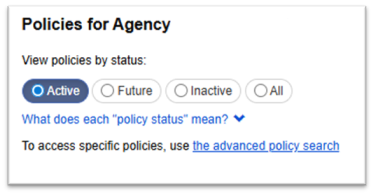
Policy status filters
The Policies page has been updated to improve the visibility of future and inactive policies. You can use the filters at the top of the page to select the status of the policies you want to view.
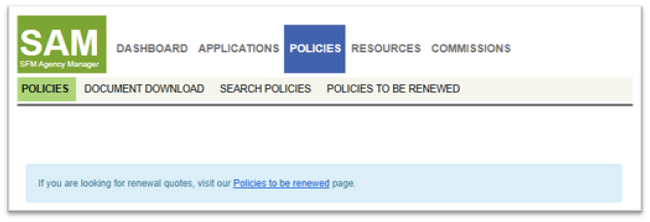
Info box for renewals
To make it easier to navigate to renewal quotes, we added an informational box on the top of the Policies page that links to the “Policies to be renewed” page.
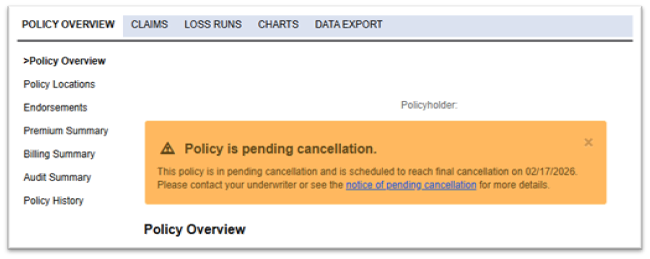
Cancellation signifiers
We also made it easier to visibly identify when a policy is in pending cancellation. On the Policies page, you’ll see a yellow exclamation point next to any policies that are in pending cancellation.
On the overview page of any policy in cancellation, you’ll also see an info box with a link to the cancellation notice.
State mismatch warning
Lastly, on the first page of our new business application process, we made changes aimed at making it easier to spot errors in the primary state before leaving the page.
The primary state field is now at the top of the application form. If the primary state doesn’t match the state of the legal address, you’ll get a warning and the opportunity to update the application before continuing.
If you have questions or feedback on SAM, please contact us anytime.
